
Can Kiro Change Java Development?
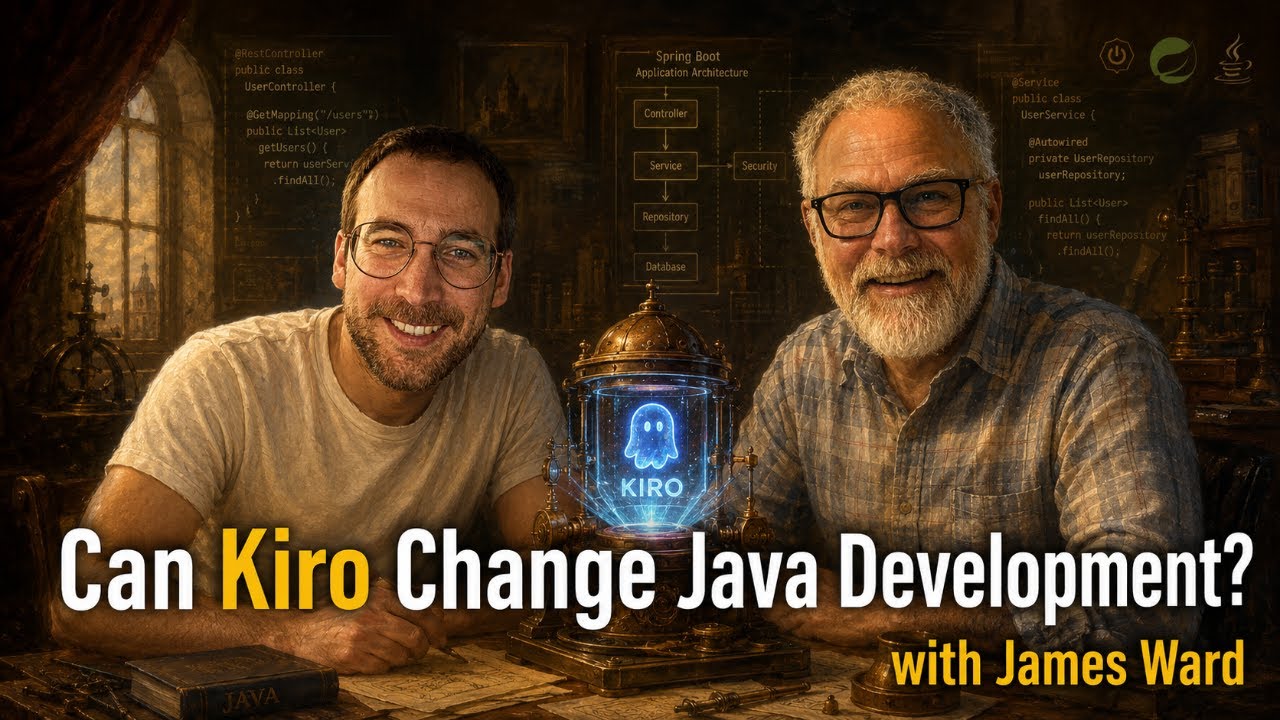
with James WardJames Ward joined to build a Spring Boot card game using Amazon Kiro's spec-driven workflow. The app actually finished, the task list parallelized itself, and Java turned out to be surprisingly token-efficient with agentic tools.
YouTube
Can Kiro Change Java Development?
Load YouTube video
This video is embedded from YouTube and will only be loaded after your consent. When loading it, personal data may be transmitted to YouTube or Google and cookies may be set.
More details are available in the privacy policy.
Project Source
Working Repository
Explore prompts, instructions, and examples used in the live modernization workflow.
Open repositorySession Timeline
- 00:00Introduction
- 06:25Project Overview
- 09:16Setting up the Desktop App
- 15:00Start Specification
- 22:20Proceed to Design (refining requirements)
- 26:50Creating the design (design.md)
- 37:40Spec-Driven-Design discussion
- 46:15Writing the task list
- 56:22Implement the tasks
- 01:00:20Checking the MCP Server
- 01:07:55Kiro, MCP Servers and ACP
- 01:09:55Kiro CLI
- 01:15:00Looking through produced code
- 01:20:33Why Java is efficient with AI
- 01:22:23Javadocs MCP
- 01:26:33Property-Based Tests
- 01:31:35IntelliJ as MCP Server for Kiro
- 01:39:05Looking through produced code
- 01:42:00Kiro App (Preview)
- 01:55:59Final touches
- 02:04:40Looking at the finished app
- 02:08:00Conclusion
James Ward joined me to build a Spring Boot collectible card game with Amazon Kiro. We walked through Kiro's full spec-driven workflow: from a rough vision file to requirements, design, a complete task list, and finally a working application. The app actually finished. Both of us were delighted.

Co-Speaker
James Ward
Principal Developer Advocate at AWS
James is a Java Champion, Testcontainers Community Champion, developer, author, and podcaster. He has spent the past year on the road with Josh Long teaching Spring AI with Amazon Bedrock, and recently joined the Agentic AI Foundation technical committee.
The App: Java Hero Cards
The idea was a collectible learning game for Java developers. Users unlock animated hero cards by completing quizzes on Java and Spring concepts. Each card explains a single concept with a short description, a code example, and a question to answer. Collect all cards and you reach a new level.
It is a small but realistic Spring Boot application: a backend with JPA entities, REST controllers, Thymeleaf templates, a quiz engine, an unlock system, and some CSS animations. Not hello world, but also not an enterprise monolith.
Kiro's Four Surfaces
Before we started building, James gave a quick overview of how Kiro can be used:
- Kiro IDE — a VS Code-based desktop app with the full spec-driven workflow we used in this session
- Kiro CLI — a terminal-based agent; James uses this as his primary tool alongside IntelliJ
- Kiro Web — browser-based, connects to a GitHub repository, good for async or remote work
- Kiro Mobile — in preview, request access required; James is already planning to use it to keep prompting after going to bed
For this session we used Kiro IDE and had a look at the CLI toward the end.
The Spec-Driven Workflow
The most interesting part of Kiro IDE is its structured spec mode. Instead of a single chat prompt, it walks you through four connected phases:
- Requirements — Kiro reads your idea (we pointed it at
vision.md) and generates a structured requirements document with user stories and acceptance criteria for each feature. It uses Gherkin-style language: given, when, shall. - Design — from the requirements, Kiro produces a technical design document. It decided on Spring Boot, Thymeleaf, vanilla JS, and H2 for persistence without us specifying anything. Each design decision cross-references the requirements it addresses.
- Task list — a checklist of implementation tasks, each tagged with the design properties and requirements it covers. Tasks are grouped into waves.
- Implement — "Run all tasks." That is the button we pressed.

Each phase produces a markdown file that stays in the .kiro/specs/ directory. This means the requirements and design documents are committed to your repository alongside the code, which I liked.
One small quirk: Kiro Web did not pick up spec files automatically when we connected it to the repository. Explicitly prompting it to look in .kiro was enough. Worth knowing if you switch surfaces mid-project.
Running the Task List
After clicking "Run all tasks," Kiro started working through the task list autonomously. Two things stood out:
Parallel execution. Tasks within a wave that had no dependencies on each other ran simultaneously. You could see multiple tasks marked as "in progress" at the same time. The explicit wave structure in the task list markdown seems to be what enables this.
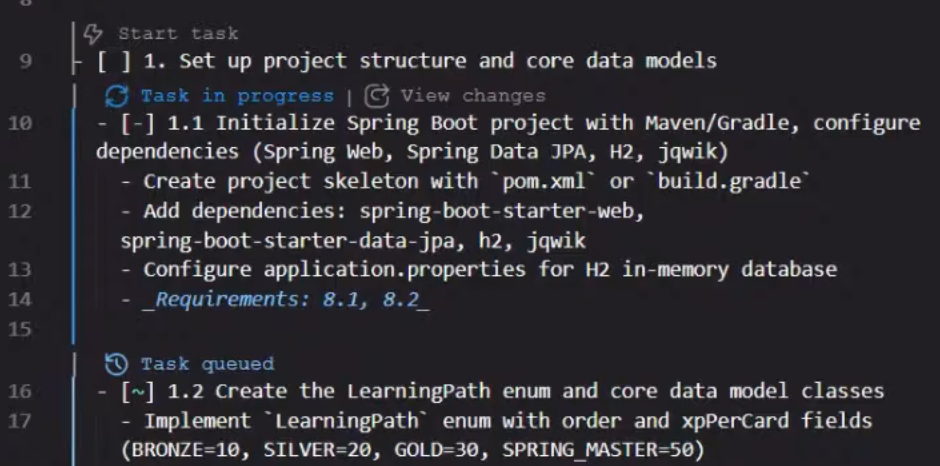
Separate terminal window. Every shell command Kiro ran during implementation appeared in a dedicated terminal tab, so you could follow Maven builds and test runs without digging through the chat. Small thing, but it made the session much easier to follow.
The full implementation, including tests, took roughly an hour. 50+ meaningful files created. Both of us were in the session, occasionally reviewing code or answering questions from the chat, while Kiro worked through the list.
The JavaDocs MCP Server
Before starting, James added his javadocs.dev MCP server to Kiro. It exposes every library on Maven Central as searchable Java doc and source content — so the agent can look up current API docs and latest versions without unpacking jars locally or doing web searches.
Adding it took about two minutes: paste the MCP URL into Kiro's MCP configuration, save, and the tool list updates immediately. We could even add it mid-session while tasks were still running.
One thing we noticed: without an explicit steering document, the agent sometimes reached for web search instead of the MCP. We added an agents.md steering file with a single instruction — "use the JavaDocs tools for fetching documentation about libraries" — and after that Kiro picked up the MCP without nudging.
James mentioned that powers are Kiro's way to bundle an MCP server and a matching steering skill together, so the nudging is built in. His javadocs power would have handled this automatically.
IntelliJ as an MCP Server for Kiro
James mentioned that IntelliJ exposes itself as an MCP server. The plugin is bundled in IntelliJ IDEA 2025.2 and later (Marketplace, documentation). We enabled it, copied the local server URL from Settings | Tools | MCP Server (something like http://127.0.0.1:64342/stream), added it to Kiro's MCP list, and it worked immediately — even while the implementation was still running.
With IntelliJ connected, Kiro could call "find files by name" and "find usages" against IntelliJ's full semantic index instead of globbing through the file system. The difference is visible: index-based search is fast and accurate, grep-based scanning generates a lot of unnecessary turns with the model.
James also mentioned connecting Kiro CLI to IntelliJ's AI assistant through ACP (Agent Client Protocol), which would bring the same integration to the terminal-based workflow. We did not try that live, but it is possible.
Why Java is Token-Efficient with AI
One observation from James that was worth highlighting: Java projects tend to be unusually token-efficient when working with agentic tools. His explanation:
- Models have deep, well-trained knowledge of Java and the Spring ecosystem, so there is little need to look things up
- When docs are needed, a focused MCP server like javadocs.dev delivers precisely what the agent needs in one call, instead of requiring several turns to find and unpack a jar
- Java source is structured and typed, which keeps context windows smaller per file
When James works on TypeScript projects, he noticed much higher token consumption because the model would download entire node_modules source trees to understand an unfamiliar library. With Java and the javadocs MCP, that problem largely disappears.
The Spec as a Transformation Function
Kiro's philosophy puts the spec at the center: every implementation decision traces back to a requirement, and if you want to change the app, you update the spec first. This came up in conversation, and James had a different perspective from his day-to-day workflow.
He typically archives or discards the spec once implementation is done. His reasoning: the code becomes the source of truth, and the spec was the function that created it. If the code is expressive enough, you can always ask an agent to describe the architecture and regenerate a description on demand. The spec as a persistent, synchronized document adds maintenance overhead for unclear gain — unless the codebase is very large, very legacy, or needs to be understood quickly by new team members.
James takes this further with ai4jvm.com, a community site cataloguing AI resources for Java developers. The contributing process makes the philosophy explicit: contributors only edit SPEC.md, then let an AI assistant update the actual website from that file. Humans own the spec; the AI owns the code.
Anton Arhipov made the same point in our Junie and IntelliJ session: once implementation is done, the spec gets archived or deleted. It was a transformation function — it turned an empty project into a defined one. Keeping it around and trying to stay in sync with the code just adds maintenance overhead.
That is a very different stance from Simon Martinelli's AI Unified Process approach, where the spec is the persistent, authoritative source of truth. When requirements change, you update the spec first and let the AI propagate those changes into the code. The two philosophies reflect genuinely different views on where the understanding of a system should live.
Kiro as a tool leans toward spec-as-truth. James and Anton lean toward code-as-truth. This session sat at the intersection.
The Finished App
After roughly two hours total, Kiro had produced a working Spring Boot application with a learning path, quiz engine, hero card collection, unlock system, and animated cards. We ran it, clicked through the quizzes, and it worked.
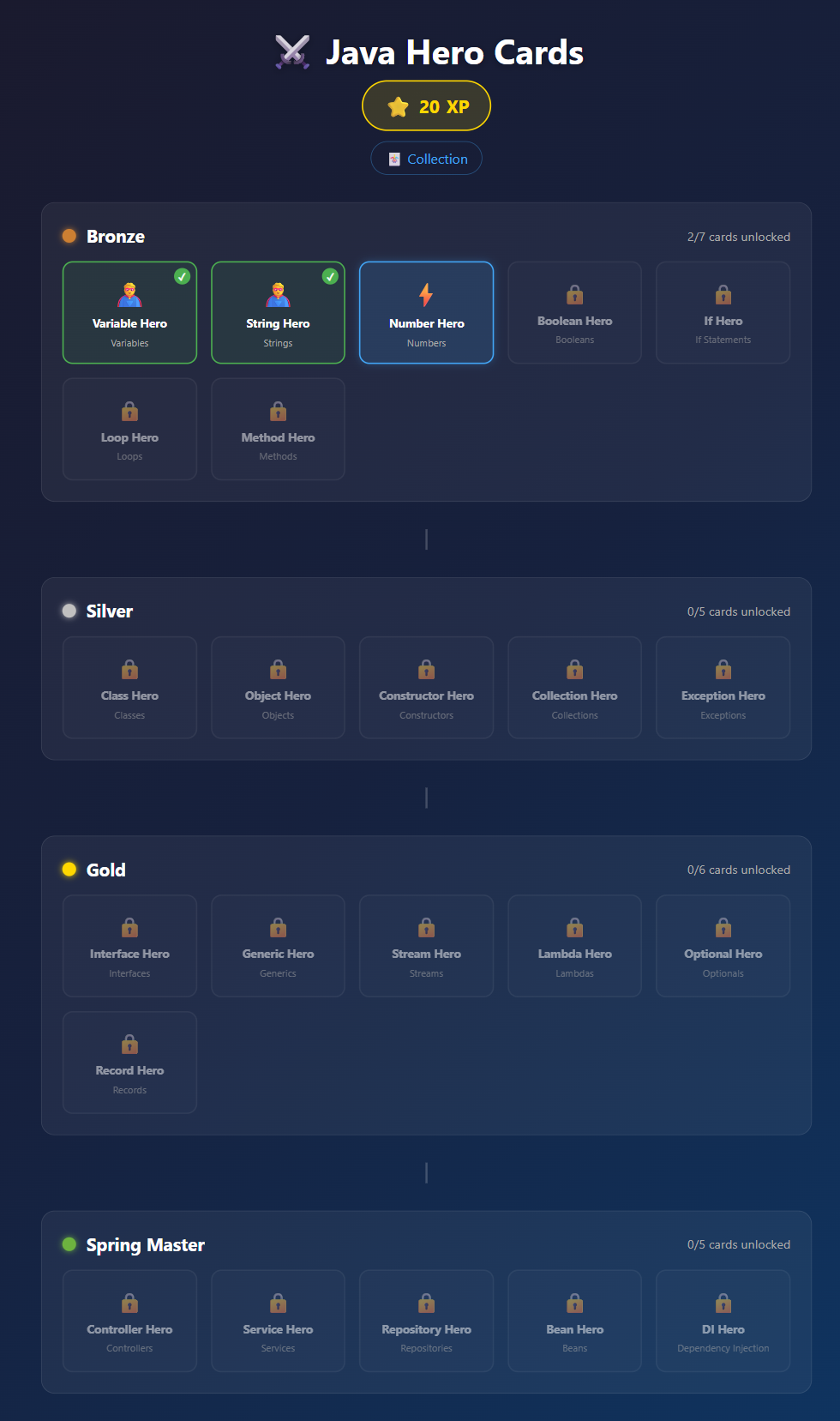
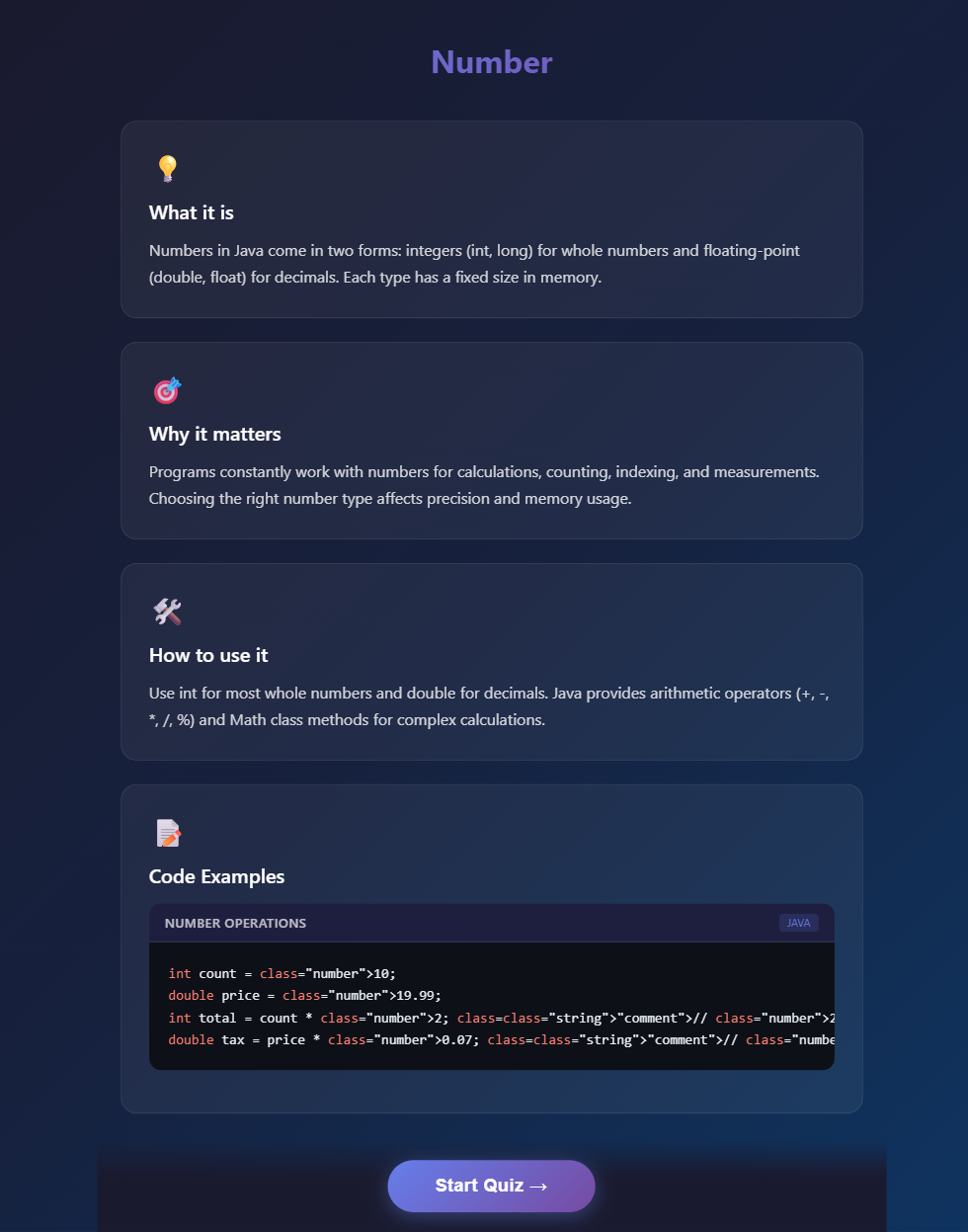
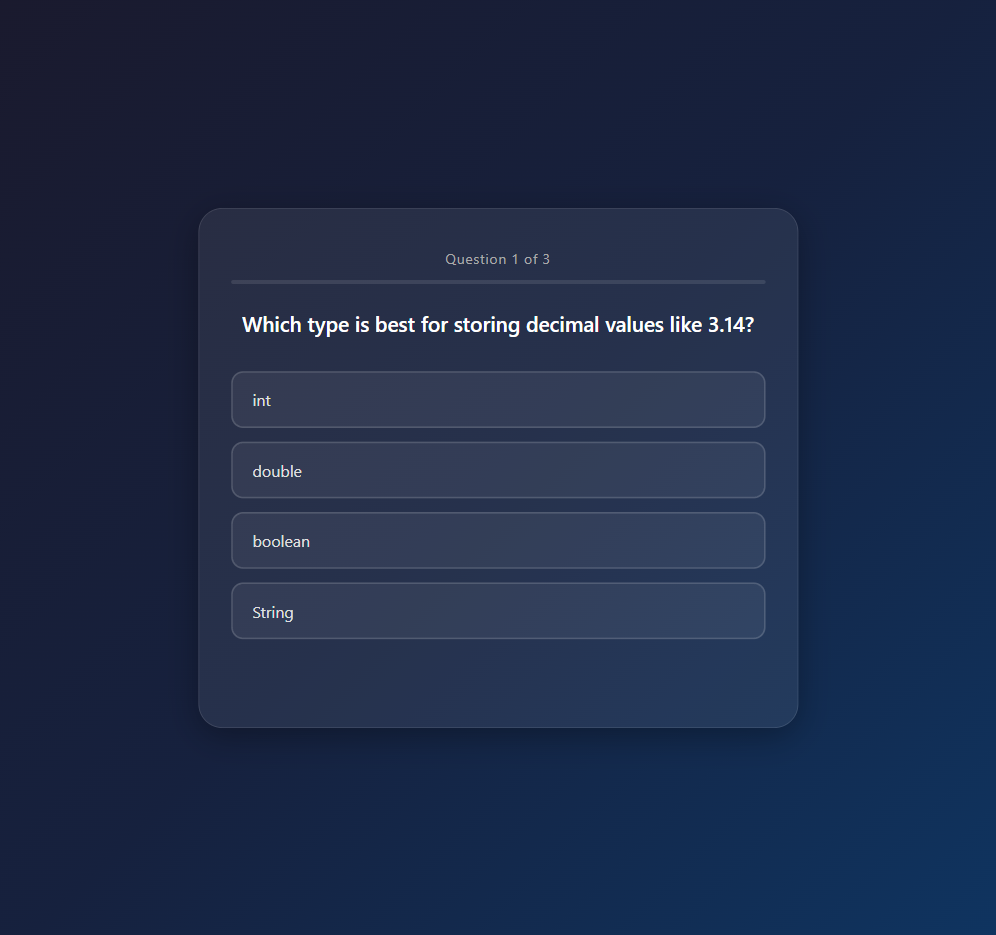
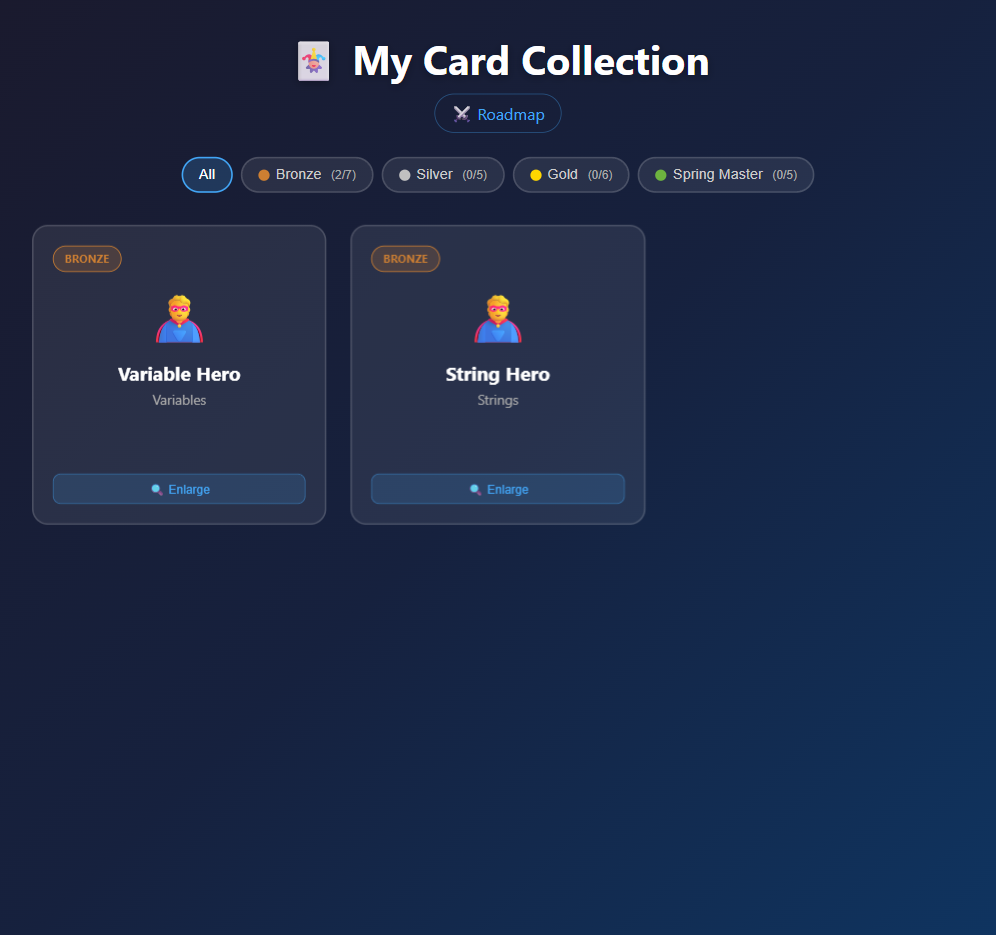
The implementation was not perfect out of the box — we did some final touches — but the core application worked, the UI was usable, and the quiz logic was correct. For a spec-to-working-app run of under two hours with no manual coding, that is impressive. Want to try it yourself? The Getting Started guide has everything you need to run it locally.
Takeaway
Kiro's spec-driven workflow enforces a useful discipline: write down what you want before asking a model to build it. The resulting requirements and design documents stay in the repository as context for every future change. Whether you treat them as living documentation or discard them once the code is done, writing them first tends to produce better-structured output from the agent.
The IntelliJ MCP integration is worth adding to any Java project using an agentic tool. Index-based search is faster and more precise than globbing through the file system, and routing build output, test results, and file lookups through the IDE keeps the workflow readable.
What We Did Not Try
- Kiro CLI connected to IntelliJ via ACP — technically possible, needs a dedicated session to explore properly
Relevant Links
- Amazon Kiro — Kiro IDE, CLI, and Web
- javadocs.dev — James Ward's MCP server for Maven Central documentation
- IntelliJ MCP Server documentation — JetBrains guide for setting up IntelliJ as an MCP server
- IntelliJ MCP Server plugin — plugin page on JetBrains Marketplace
- Java Hero Cards on GitHub — source code from this session
Comments
Load comments from GitHub optionally
The comment section is provided via Giscus and GitHub Discussions. It will only be loaded after your explicit consent. When loading it, personal data such as your IP address and technical metadata may be transmitted to GitHub, and cookies or similar technologies may be set.
Please confirm first before loading the comment section.