
AI Coding with IBM Bob v2: Building a Habit Tracker Live
with Maximilian JeschWe checked back in on IBM Bob a few months after v1, this time with Senior Outbound Product Manager Max Jesch. Bob v2 got a full harness rewrite, in-chat diagrams, and a much smaller coin bill, though sandboxing still isn't built in and we still haven't touched real Java modernization.
YouTube
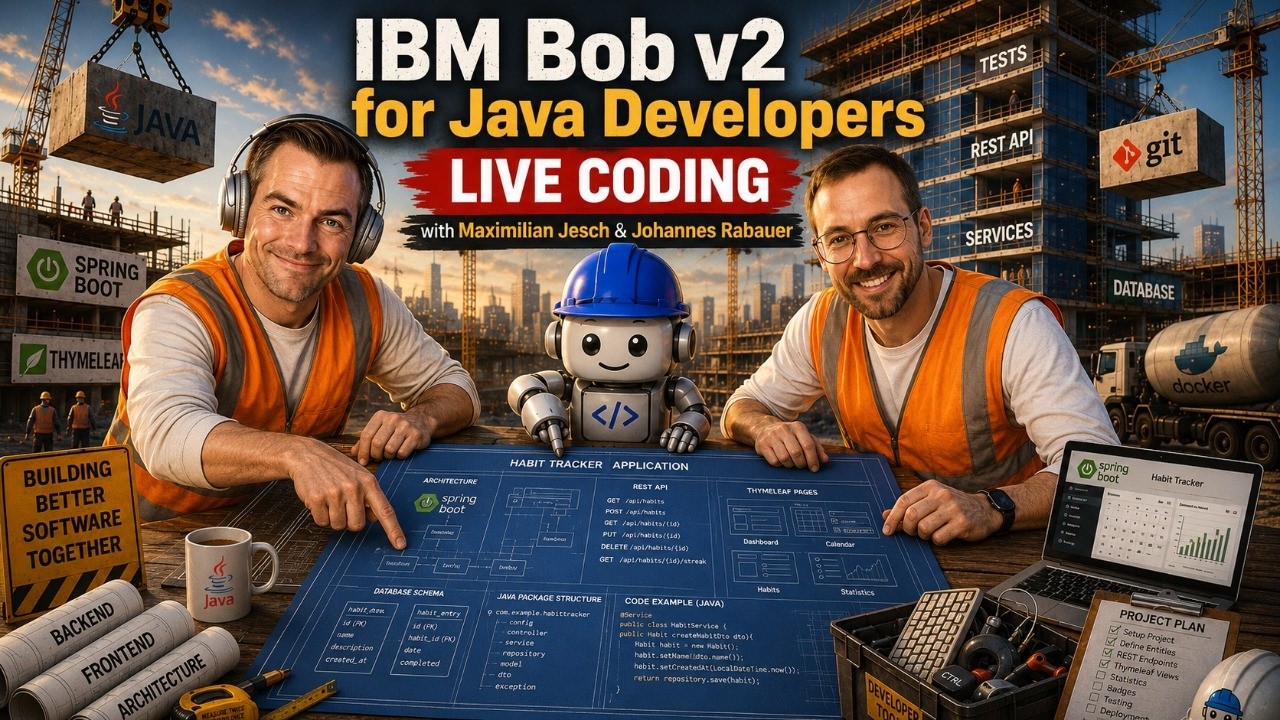
AI Coding with IBM Bob v2: Building a Habit Tracker Live
Load YouTube video
This video is embedded from YouTube and will only be loaded after your consent. When loading it, personal data may be transmitted to YouTube or Google and cookies may be set.
More details are available in the privacy policy.
Project Source
Working Repository
Explore prompts, instructions, and examples used in the live modernization workflow.
Open repositorySession Timeline
- 00:00Introduction
- 00:12Welcome & Guest Introduction
- 03:18What is IBM Bob v2?
- 06:40The Evolution of AI Coding Agents
- 10:08Prompt Engineering vs Agentic Development
- 14:00IBM Bob v2 UI Tour
- 18:05AI Assisted Java Development Workflow
- 26:02Live Coding Demo Begins
- 36:20Generating UI with AI
- 48:04AI Code Reviews and Development Habits
- 59:02MCP Servers and Tool Integration
- 01:02:43Vision Models and Browser Understanding
- 01:13:02Task Based AI Development
- 01:26:04Context Windows and the Reference Problem
- 01:39:03Improving the Developer Experience
- 01:54:06Editing, Refactoring & Current Limitations
- 02:03:40Final Thoughts & Q&A
- 02:06:59Wrap Up
Three months ago, Ryan Jarvinen and I burned through a 40-Bobcoin trial budget building a JavaFX chess game with IBM Bob v1, and ran out of tokens before we could even turn the tests back on (read that recap). This time Maximilian Jesch, IBM's Senior Outbound Product Manager for Bob, joined me to see how much the tool grew up since then. Short answer: a lot. We built a Spring Boot and Thymeleaf habit tracker from scratch live, and it cost 8 Bobcoins out of the 40 you get for free.

A Rewritten Harness Under a Familiar UI
Bob v2 looks close to v1: same modes concept, same VS Code base. Under the hood, Max says it is a full rewrite, "not a single line of code left" from the version we tested with Ryan. The idea driving it is the same one Max kept coming back to all evening:
The core thing that we're working with is a magic machine that checks in tokens and spits out tokens, and everything else is like the wiring and the plumbing around it.
Bob still auto-selects the model for you ("intelligent model routing"), and you cannot see which model is doing the work. Max claims the team has declined to ship some new model releases after evaluations showed them performing worse than the version already in production, a more candid admission than most vendors make. Bob Shell, the CLI, still runs on the older v1 loop for now. A v2 shell is coming, and it will eventually share the same agentic loop as the IDE.
 The Bob Shell welcome banner, still running the v1 loop for now.
The Real Business Case Waits for Next Time
The reason Bob has a "Premium Package for Java" at all is large-scale modernization of old Java estates, which happens to be the core business I work in. The pitch: a plain coding agent finds a different creative fix for each of twenty similar legacy services, which is exactly the wrong property when you need consistency across an estate. Bob's premium workflows pair deterministic OpenRewrite recipes (I have written about those before) for the bulk of the migration with agentic AI for the tedious edge cases, like codebases with no test coverage.
We never got to run that workflow. Faking a realistic legacy Java app for a demo turns out to be its own project, so we built a greenfield habit tracker instead, the opposite of the brownfield problem Bob is actually built for. That is the honest gap in this post: no modernization here. We are doing that next time.
Building Bob's Habit Tracker
We started in Bob's agent mode, switched to Plan mode, and let it draft a plan without much prompting. Bob asked a handful of clarifying questions along the way, and we picked Java (whatever version it suggested), Maven, an H2 database in file mode, Bootstrap 5, and Thymeleaf for the UI.
The plan came back as Markdown with Mermaid diagrams rendered directly in the chat, downloadable as an image. That was one of the clearest upgrades over v1: seeing the design overview and domain model as a diagram, without leaving the conversation, makes a plan much easier to actually review instead of skim. Max's advice on what to do with that plan matches how I already work:
Save your plans as a file... don't ever rely on stuff that you have in your conversation... write it to a file and then iterate the heck out of that.
On request, Bob also produced an HTML version of the same plan, handy for sharing with people who would rather not read Markdown.
By the end of the session, the tracker had a working habit list with color-coded entries, emoji, and streak counts:
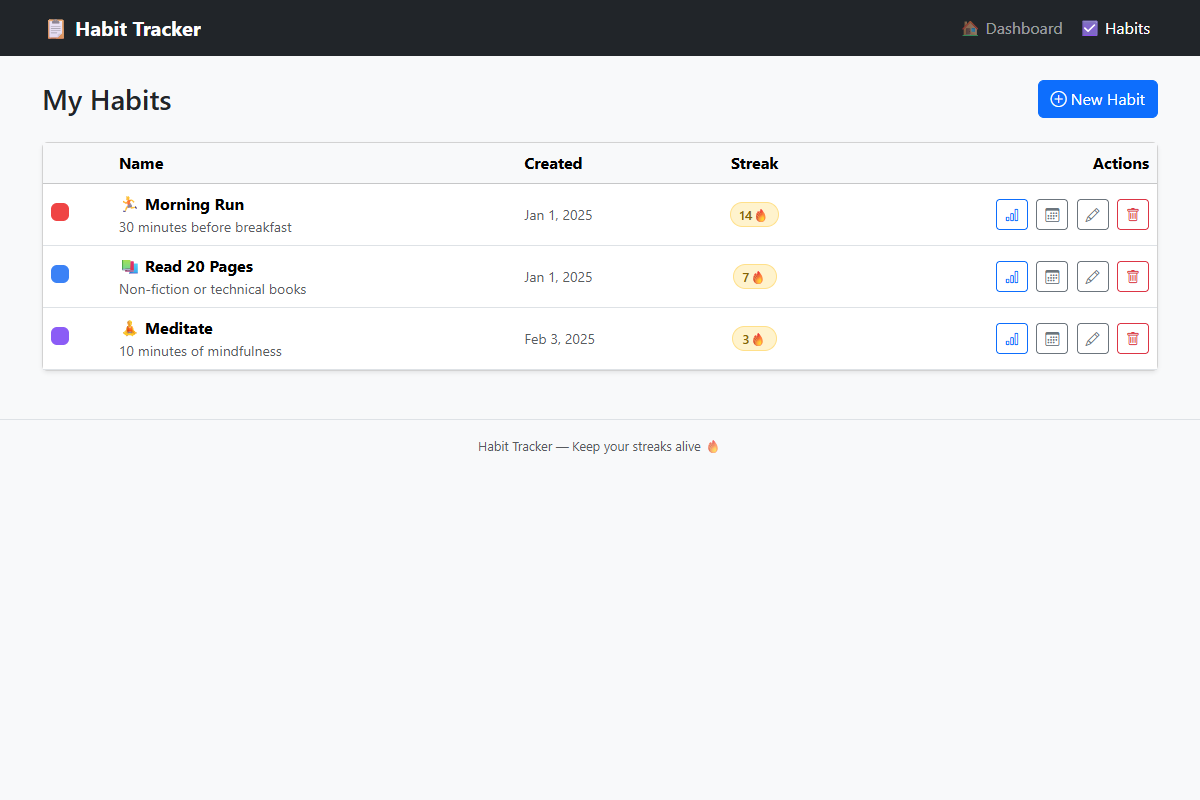 The finished habit tracker: color-coded habits, emoji, and streak counts.
Skills: Grill Me, a Custom Skill, and a Reality Check
We installed the "grill me" skill from skills.sh, which interviews you question by question before planning. My complaint from a previous session, that it asks one question at a time instead of batching them, turns out to already be solved: its creator, Matt Pocock, built a batch variant that asks every question at once. We used Bob's built-in skill-creator skill to build our own batched version live in a few minutes anyway, which doubled as a demo of how low the bar is to write your own skill instead of installing someone else's.
Max was unusually blunt about the state of that ecosystem:
There's basically no mechanism to really evaluate skills... so much of it is like so full of nonsense... you could skim them down to a quarter of the length or even less.
His practice: write your own, keep the set of skills you trust deliberately small, and treat community skills as inspiration rather than dependencies. He also flagged a real gap: Bob is planning a more evaluated, rankable skills marketplace for Q4, and until then it is "a free-for-all," and every skill you install runs with full agent permissions.
How Much Bob Grew Up Since v1
Coin Efficiency
Ryan and I burned 40 Bobcoins in about an hour of work on the chess game. This session used 8 Bobcoins for roughly two hours, detours included. If you held off on IBM Bob because the free tier felt too thin, that math has changed: 40 free coins now goes a long way.
Diagrams in Chat
Mermaid diagrams rendering directly inside the conversation, not just as a file you open separately, genuinely helps with reading a plan at a glance.
Permissions Are Still Very Explicit
You can approve or deny individual tool calls and define rules by regex. That granularity carried over from v1 and is still one of Bob's stronger points.
Still No Sandboxing
There is no built-in way to run Bob in an isolated sandbox yet, unlike some competitors. Max said this could change, but for now you have to wire it up yourself.
The Unkillable Java Process
Not everything went smoothly. Midway through, a stray terminal state confused Bob about which skill it was supposed to be running, and the fix was simply rolling the chat back to an earlier message, a small but genuinely useful recovery feature. Near the end, we could not kill a leftover Java process that kept the app's port occupied, and it took several tries to find and kill the right one. A fitting, slightly absurd closing note for a Java session.
Takeaway
Bob v2 is a fully matured AI IDE now, with the modes, diagrams, permissions, and model routing you would expect from any serious competitor, plus real collaboration features like team-level usage analytics for organizations rolling this out to more than one developer. If you write Java, especially in a brownfield enterprise codebase, the 40 free Bobcoins are enough to actually try it. Go build something. We will come back in a few months to see if it can finally do what it is built for: modernizing a legacy Java application, not another greenfield habit tracker.
Links
Comments
Load comments from GitHub optionally
The comment section is provided via Giscus and GitHub Discussions. It will only be loaded after your explicit consent. When loading it, personal data such as your IP address and technical metadata may be transmitted to GitHub, and cookies or similar technologies may be set.
Please confirm first before loading the comment section.