
How Good Is GitHub Copilot App for Java Development?
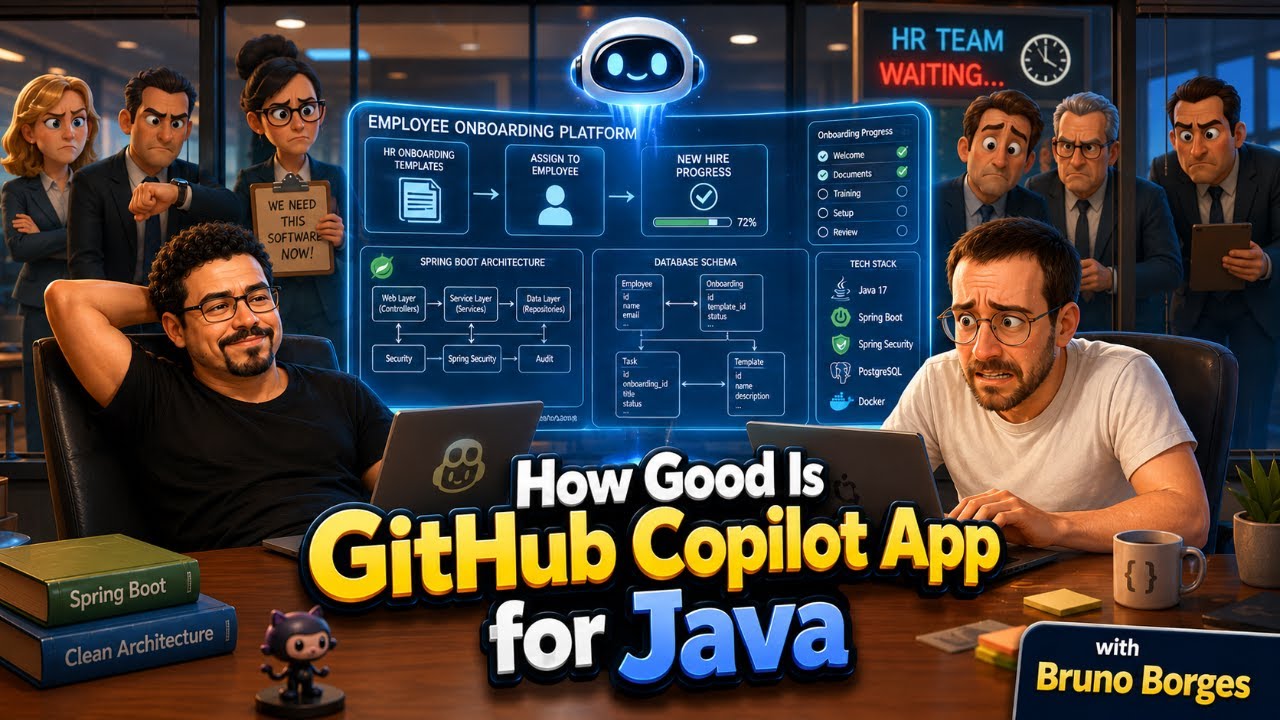
with Bruno BorgesBruno Borges joined a live Java session to test the GitHub Copilot App from scratch. The scaffolding was easy, the PR workflow felt complete, and /create-canvas built a side-by-side i18n tool that lives in the repo. Here is what worked, what surprised us, and where the current gaps are.
YouTube
How Good Is GitHub Copilot App for Java Development?
Load YouTube video
This video is embedded from YouTube and will only be loaded after your consent. When loading it, personal data may be transmitted to YouTube or Google and cookies may be set.
More details are available in the privacy policy.
Project Source
Working Repository
Explore prompts, instructions, and examples used in the live modernization workflow.
Open repositorySession Timeline
- 00:00Intro and welcome
- 01:35Copilot App vs GitHub Desktop
- 11:33Slash commands and Java scaffolding
- 13:09Interactive vs Autopilot mode
- 14:13Auto model router
- 20:08Parallel sessions and worktrees
- 23:13/remote
- 35:17Create PR
- 57:33/commit and push as PR
- 01:02:59Review and merge
- 01:26:41/create-canvas
- 01:31:31Canvas as i18n editor
- 01:34:06Rebuilding canvas with Opus
- 01:40:01Multi repo limitations
- 01:46:19Cross repo issues
- 01:55:31Wrap up
The GitHub Copilot App is not GitHub Desktop. That distinction sounds obvious, but it was the first thing Bruno had to clarify at 01:35, and it shapes everything else about how the tool works. Bruno Borges joined me to build a Java Spring Boot application from scratch and push the full workflow: scaffolding, parallel sessions, PR flow, remote execution, and a feature neither of us had spent serious time with yet.

Co-Speaker
Bruno Borges
Principal Product Manager for Java at Microsoft
Bruno is a Java Champion and Principal Product Manager for Java at Microsoft. He previously worked at Oracle and in Azure DevRel, and brings deep firsthand knowledge of the Java ecosystem alongside a very practical view on what developers actually need from their tools.
What the App Actually Is
GitHub Desktop manages local git repositories. The Copilot App is something different: a project-centric coding agent runtime. You open a repository, and the agent has full context about the codebase. Slash commands, session management, worktrees, PR creation, and remote execution all live in one interface.
One thing I did not expect: you can create a new GitHub repository directly from within the app, no browser needed. We created "HR Onboarding" as a fresh public repo with a single click, then used autopilot mode to scaffold a full Spring Boot + Thymeleaf onboarding application from a short natural-language prompt. 11:33
The auto model router picked Claude Haiku 4.5 for that scaffolding work. 14:13 That is the right call. Boilerplate generation does not need a heavy model. The router saves stronger models for tasks that actually need them, and the difference in cost and speed is real.
Sessions, Worktrees, and /remote
Each session runs on its own git worktree, a separate directory on disk. 20:08 Two agents can work in parallel without stepping on each other. We used this for internationalization: three separate sessions, one adding German translations, one Portuguese, one Dutch. Each session pulled the latest main directly from GitHub (not a stale local copy) and opened its own PR.
The /remote command 23:13 moves a session to GitHub's infrastructure. One command. Done. You can monitor and steer from a phone browser or the GitHub mobile app, even with your laptop closed. Bruno uses it to keep work running after closing his machine for the day. That felt genuinely useful, not just a demo feature.
The PR Workflow
Bruno's pattern: stay on main, let changes accumulate, then type /commit and push as PR. 57:33 The agent creates the branch, commits the changes, pushes, and opens the PR. If the build or lint fails, it fixes the problem before completing the merge. We reviewed and merged the first PR directly through the Copilot App. 01:02:59
During the session, the scaffolded app hit a compile error on first run. The agent fixed it without being prompted. A port conflict came up shortly after. Also self-resolved. 35:17
There is also a "pick and polish" feature: you select a visual region in the embedded browser and describe what you want changed. The agent applies the update in place. Small, but very usable.
/create-canvas: The Part That Stayed With Me
At 01:26:41, Bruno introduced /create-canvas. This is the feature I want to highlight most.
You prompt the agent to build a small web app that runs as a panel inside the Copilot App itself. The canvas is saved in .github/ in your repository, so it travels with the code and is available to every developer who clones the project.
We built a side-by-side i18n editor: English, German, and Portuguese translation fields, all in one view, all editable. 01:31:31 We then rebuilt it using Opus 01:34:06 and the result was noticeably sharper.
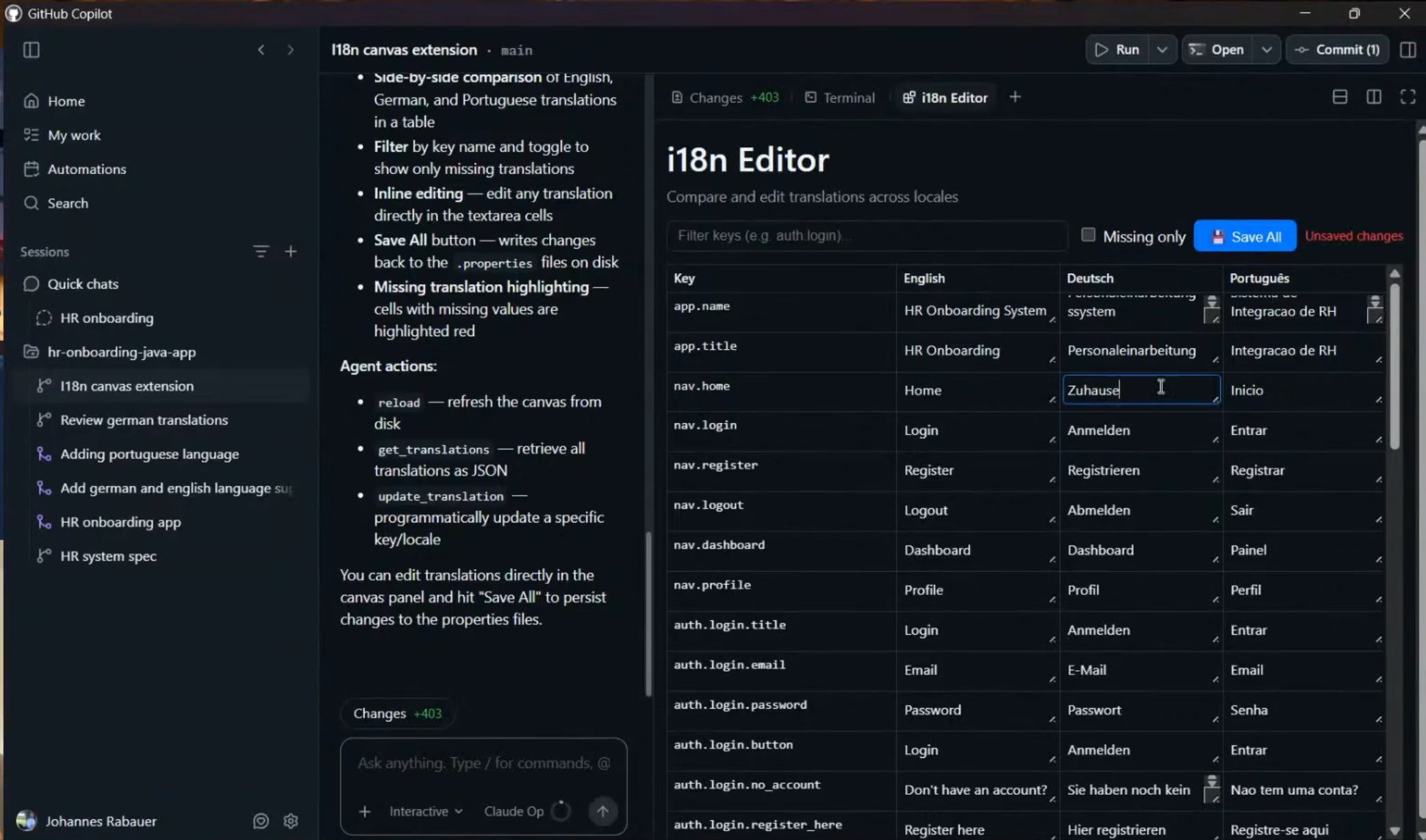
The potential is wider than the i18n example suggests. Environment config switchers. One-click login helpers for different user roles. Small data management UIs you build on demand. None of this needs a separate project or a deployed tool. It lives where the code lives and ships with it.
The Two Current Gaps
Two things came up honestly during the session:
Commit history and file changes. Getting a quick visual overview of what changed across commits is harder in the Copilot App than in GitHub Desktop. 01:35 I still want GitHub Desktop for that. It is the one tool I am not ready to drop.
Multi-repo workflows. The app works well for a single repository. If your work spans multiple repos, the single-repo focus becomes a real constraint. 01:40:01, 01:46:19 Several viewers raised this during the live stream, and there is no clean answer yet.
We also did not find time to explore the Automation tab. That needs its own session.
Takeaway
The GitHub Copilot App is a strong tool for developers who are already living in the GitHub ecosystem. Worktree isolation, the PR workflow, remote sessions, and especially /create-canvas feel like a coherent system rather than a collection of features.
Mode and model choice matter more than they might look. Interactive versus Autopilot changes the whole collaboration style, 13:09 and the auto model router picking Haiku over Opus for routine work is genuinely useful.
Bruno's current daily toolkit is three things: the Copilot App, the Copilot CLI, and github.com. VS Code opens occasionally for code navigation. That is a meaningful signal about where this is heading.
The risk worth naming: speed can feel like completeness. It is not. Generate, review, test, security check, merge — that loop still has to happen. The tool makes it faster. It does not make it optional.
If you are a Java developer already in the GitHub workflow and want AI that integrates deeply rather than sitting alongside it, this is worth trying.
Relevant Links
Comments
Load comments from GitHub optionally
The comment section is provided via Giscus and GitHub Discussions. It will only be loaded after your explicit consent. When loading it, personal data such as your IP address and technical metadata may be transmitted to GitHub, and cookies or similar technologies may be set.
Please confirm first before loading the comment section.